Back in October I posted a bit about using YAML front-matter with Micro.blog private notes to extend it’s functionally. I ended up releasing that to Lillihub users earlier this year.
I’ve moved over to using analog index cards for most of my daily note taking but I still have several collections of notes I’m growing. And I needed a place for them. Why not use Micro.blog? Is what I asked myself. Now that Manton has built out a versioning system that saves note changes for 60 days I feel more confident using the service with a larger volume of notes. But what I’ve built out so far in Lillihub (tagging and having titles) is not quite enough.
A Fetch Quest - Getting my notes
Just like my last coding adventure, first I needed to authenticate. I’m not going to write that up again. But do not fear fellow adventurer. I have a map with the secrets of Micro.blog’s indieauth spelled out.
So now that I have the magical token, I need only ask the API nicely for what I need.
Firstly, my notebooks
const fetching = await fetch(`https://micro.blog/notes/notebooks`, { method: "GET", headers: { "Authorization": "Bearer " + token } } );
const results = await fetching.json();
And then upon choosing a notebook and divining its id, I can get all my lovely notes…
const fetching = await fetch(`https://micro.blog/notes/notebooks/${id}`, { method: "GET", headers: { "Authorization": "Bearer " + token } } );
const eNotes = await fetching.json();
But wait! I cannot read my lovely notes! They are garbled and undecipherable to my eye.
A Wizards Secret - Decrypt and encrypt my notes 🧙♀️
Luckily some documentation lights the way.
The end. 🤣
Okay, kidding! I’ll share (some of) my secrets.
Behold!
The first of three spells - creating a key 🔑
The first spell component needed is the private note key from Micro.blog. This I saved in localStorage so I could access when needed.
const imported_key = localStorage.getItem("notes_key") ? await crypto.subtle.importKey(
    'raw',
    hexStringToArrayBuffer(localStorage.getItem("notes_key").substr(4)),
    { name: 'AES-GCM', length: 256 },
    true,
    ['encrypt', 'decrypt']
) : '';
function hexStringToArrayBuffer(hexString) {
const length = hexString.length / 2;
const array_buffer = new ArrayBuffer(length);
const uint8_array = new Uint8Array(array_buffer);
<span class="token keyword">for</span> <span class="token punctuation">(</span><span class="token keyword">let</span> i <span class="token operator">=</span> <span class="token number">0</span><span class="token punctuation">;</span> i <span class="token operator"><</span> length<span class="token punctuation">;</span> i<span class="token operator">++</span><span class="token punctuation">)</span> <span class="token punctuation">{</span>
    <span class="token keyword">const</span> byte <span class="token operator">=</span> <span class="token function">parseInt</span><span class="token punctuation">(</span>hexString<span class="token punctuation">.</span><span class="token function">substr</span><span class="token punctuation">(</span>i <span class="token operator">*</span> <span class="token number">2</span><span class="token punctuation">,</span> <span class="token number">2</span><span class="token punctuation">)</span><span class="token punctuation">,</span> <span class="token number">16</span><span class="token punctuation">)</span><span class="token punctuation">;</span>
    uint8_array<span class="token punctuation">[</span>i<span class="token punctuation">]</span> <span class="token operator">=</span> byte<span class="token punctuation">;</span>
<span class="token punctuation">}</span>

<span class="token keyword">return</span> array_buffer<span class="token punctuation">;</span>

}
The second of three spells - decrypting 🧩
async function decryptWithKey(encryptedText, imported_key) {
    const encrypted_data = new Uint8Array(atob(encryptedText).split('').map(char => char.charCodeAt(0)));
    const iv = encrypted_data.slice(0, 12);
    const ciphertext = encrypted_data.slice(12);
<span class="token keyword">const</span> decrypted_buffer <span class="token operator">=</span> <span class="token keyword">await</span> crypto<span class="token punctuation">.</span>subtle<span class="token punctuation">.</span><span class="token function">decrypt</span><span class="token punctuation">(</span>
    <span class="token punctuation">{</span> <span class="token literal-property property">name</span><span class="token operator">:</span> <span class="token string">'AES-GCM'</span><span class="token punctuation">,</span> iv <span class="token punctuation">}</span><span class="token punctuation">,</span>
    imported_key<span class="token punctuation">,</span>
    ciphertext
<span class="token punctuation">)</span><span class="token punctuation">;</span>

<span class="token keyword">const</span> decoder <span class="token operator">=</span> <span class="token keyword">new</span> <span class="token class-name">TextDecoder</span><span class="token punctuation">(</span><span class="token punctuation">)</span><span class="token punctuation">;</span>
<span class="token keyword">const</span> decrypted_text <span class="token operator">=</span> decoder<span class="token punctuation">.</span><span class="token function">decode</span><span class="token punctuation">(</span>decrypted_buffer<span class="token punctuation">)</span><span class="token punctuation">;</span>
<span class="token keyword">return</span> decrypted_text<span class="token punctuation">;</span>

}
The third of three spells - encrypting 🪄
async function encryptWithKey(text,  imported_key) {
    const iv = crypto.getRandomValues(new Uint8Array(12));
    const encoder = new TextEncoder();
    const plaintext_buffer = encoder.encode(text);
<span class="token keyword">const</span> ciphertext_buffer <span class="token operator">=</span> <span class="token keyword">await</span> crypto<span class="token punctuation">.</span>subtle<span class="token punctuation">.</span><span class="token function">encrypt</span><span class="token punctuation">(</span>
    <span class="token punctuation">{</span> <span class="token literal-property property">name</span><span class="token operator">:</span> <span class="token string">'AES-GCM'</span><span class="token punctuation">,</span> iv <span class="token punctuation">}</span><span class="token punctuation">,</span>
    imported_key<span class="token punctuation">,</span>
    plaintext_buffer
<span class="token punctuation">)</span><span class="token punctuation">;</span>

<span class="token keyword">const</span> encrypted_data <span class="token operator">=</span> <span class="token keyword">new</span> <span class="token class-name">Uint8Array</span><span class="token punctuation">(</span><span class="token punctuation">[</span><span class="token operator">...</span>iv<span class="token punctuation">,</span> <span class="token operator">...</span><span class="token keyword">new</span> <span class="token class-name">Uint8Array</span><span class="token punctuation">(</span>ciphertext_buffer<span class="token punctuation">)</span><span class="token punctuation">]</span><span class="token punctuation">)</span><span class="token punctuation">;</span>
<span class="token keyword">const</span> base64_encoded <span class="token operator">=</span> <span class="token function">btoa</span><span class="token punctuation">(</span>String<span class="token punctuation">.</span><span class="token function">fromCharCode</span><span class="token punctuation">(</span><span class="token operator">...</span>encrypted_data<span class="token punctuation">)</span><span class="token punctuation">)</span><span class="token punctuation">;</span>
<span class="token keyword">return</span> base64_encoded<span class="token punctuation">;</span>

}
With these spells in our arsenal we can decrypt any of our notes and then save them again by re-encrypting them.
const markdown = await decryptWithKey(note, imported_key);
const eNote = await encryptWithKey(markdown, imported_key);
With that out of the way, let’s see what we can can do 🫠
I Can Never Make Up My Mind 🫥
I’ll admit it. I change up how I save my data regularly. No structure is safe for more than a couple of months. Maybe I’m strange. I find it soooooo soooothing to rename and reorganize digital files.
Not being able to move notes around in notebooks started to drive me insane.
Nor did the documentation hand me a simple endpoint to get it done either. Oh well. I’m sure I’ll think of something.
What about…. copy and delete? As in copy the note into a new notebook and then delete the original.
So with a little HTML, CSS, and JS I have lovely modal I can use to select a notebook and thus send my note along to it’s new home… Oh yeah, I better put up a warning for other users.
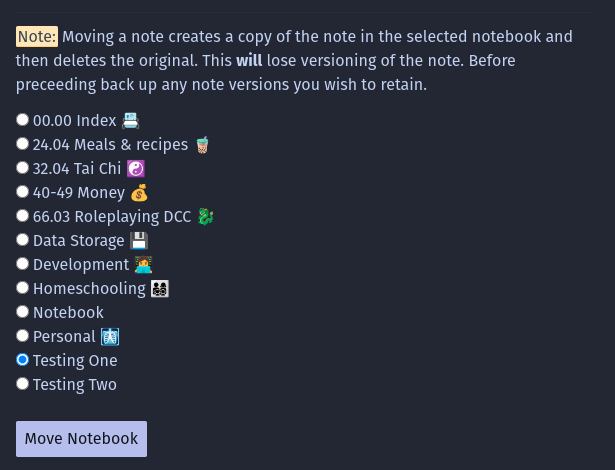
The code isn’t that complicated and there is no need to decrypt anything.
let fetching = await fetch(`https://micro.blog/notes/${id}`, { method: "GET", headers: { "Authorization": "Bearer " + accessTokenValue } } );
const eNote = await fetching.json();
const formBody = new URLSearchParams();
formBody.append(“notebook_id”, notebook);
formBody.append(“text”, eNote.content_text);
let posting = await fetch(‘https://micro.blog/notes', {
method: “POST”,
body: formBody.toString(),
headers: {
“Content-Type”: “application/x-www-form-urlencoded; charset=utf-8”,
“Authorization”: “Bearer “ + accessTokenValue
}
});
if(posting.ok) {
posting = await fetch(</span><span class="token string">https://micro.blog/notes/</span><span class="token interpolation"><span class="token interpolation-punctuation punctuation">${</span>id<span class="token interpolation-punctuation punctuation">}</span></span><span class="token template-punctuation string">, {
method: “DELETE”,
headers: {
“Authorization”: “Bearer “ + accessTokenValue
}
});
}
Sweet.
I also added in the ability to rename a notebook and delete a notebook. I won’t go into details since those are just endpoint you call and they are in the documentation.
Danger! ☠️ Loura lost 10 HP!
So while writing the first draft of this blog post, I stepped away from my desk and didn’t lock my computer. The cat took advantage of this and decided to step all over my keyboard. I lost the first draft 😢
Okay, that sucked. Maybe I should do something about that…
I know! auto save!
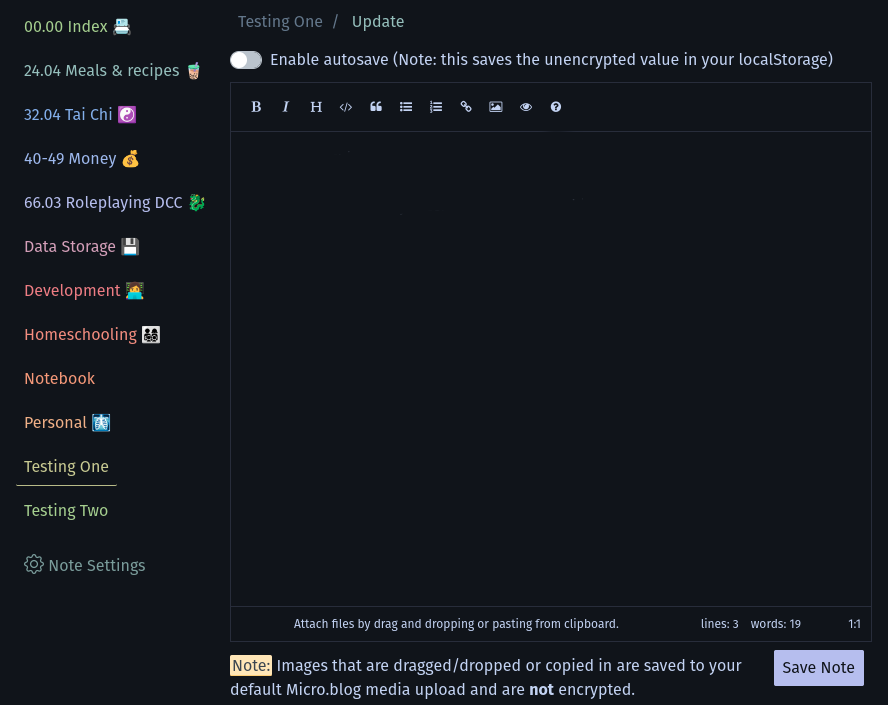
This was pretty easy. The editor I’m using is EasyMDE and it includes it out of the box. Sweet! Just pass it the right configuration autosave:{enabled:true} and….
Uh oh…..
Did you spot it?
Maybe I should let people know I’m saving a copy of the decrypted note in localStorage.
And thus a toggle was born.
Side Quest - Storing other one-off project data.
One other fun thing I started doing, was using using private notes to hold other small amounts of data for my growing collection of personal PWA’s. Remeber this project with the iframes? I did end up finishing that (though not the blog posts), turned it into a PWA and hooked it up to a private note. I just serialize the data and store it.
It’s my personal todo list calendar hybrid on my phone.
A Dragon’s Hoard Must Be Shiny! 🪙
Okay, okay. I made a micro post on January 15th when I discovered 7.css.
And I uh….
had a bit too much fun.
🤣😅🤣😅🤣
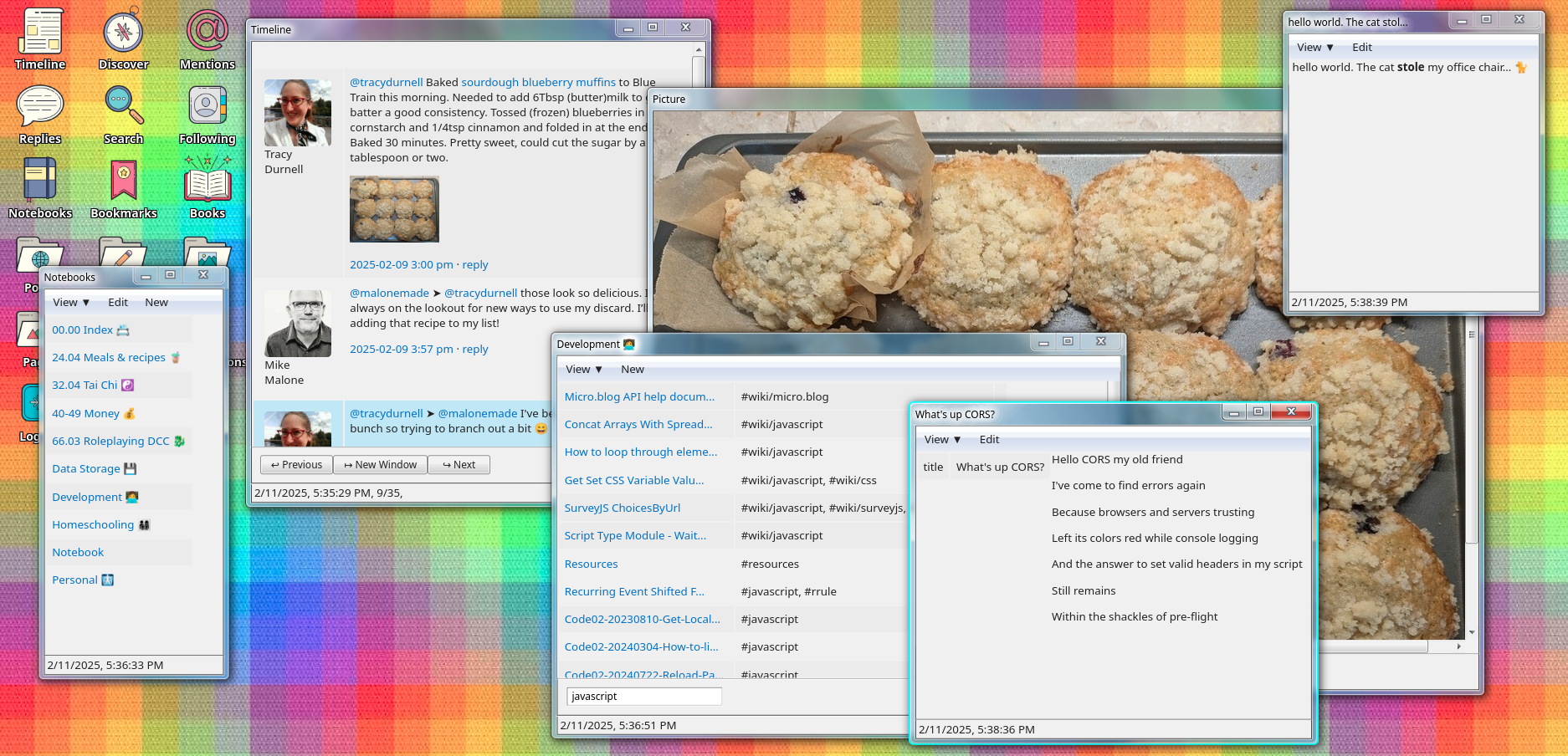
What I love about it? opening up all my notes in different windows! I can even drag the windows around and resize them.
Yep… 😅
The End
♥️ Loura
