Job Related
Now the MVP is done at work, it is time to show it off. We had a wonderful team lunch and I was able to walk the staff and the director through everything I’ve been building this last year. It was well received and everyone seemed excited for the next set of features I’m building out. We decided that there will be two more build out phases in the project. Focused on getting user feedback and making any adjustments needed. After that it will be pushed to production and replace the current system. I still have a hard time wrapping my head about the timeframe needed to get everything completed. But I’m hoping that this time next year the rewrite will be up and running and I’ll no longer need to support the legacy application
Side Project - Lillihub
Lillihub got an update at the end of this week! This will probably be the last big update before I open up the app to anyone who wants to try it out. I need to focus the next two weeks on getting some screenshots, writing up some documentation, and cleaning up the code. Here’s what I was able to add this week:
Content Filters
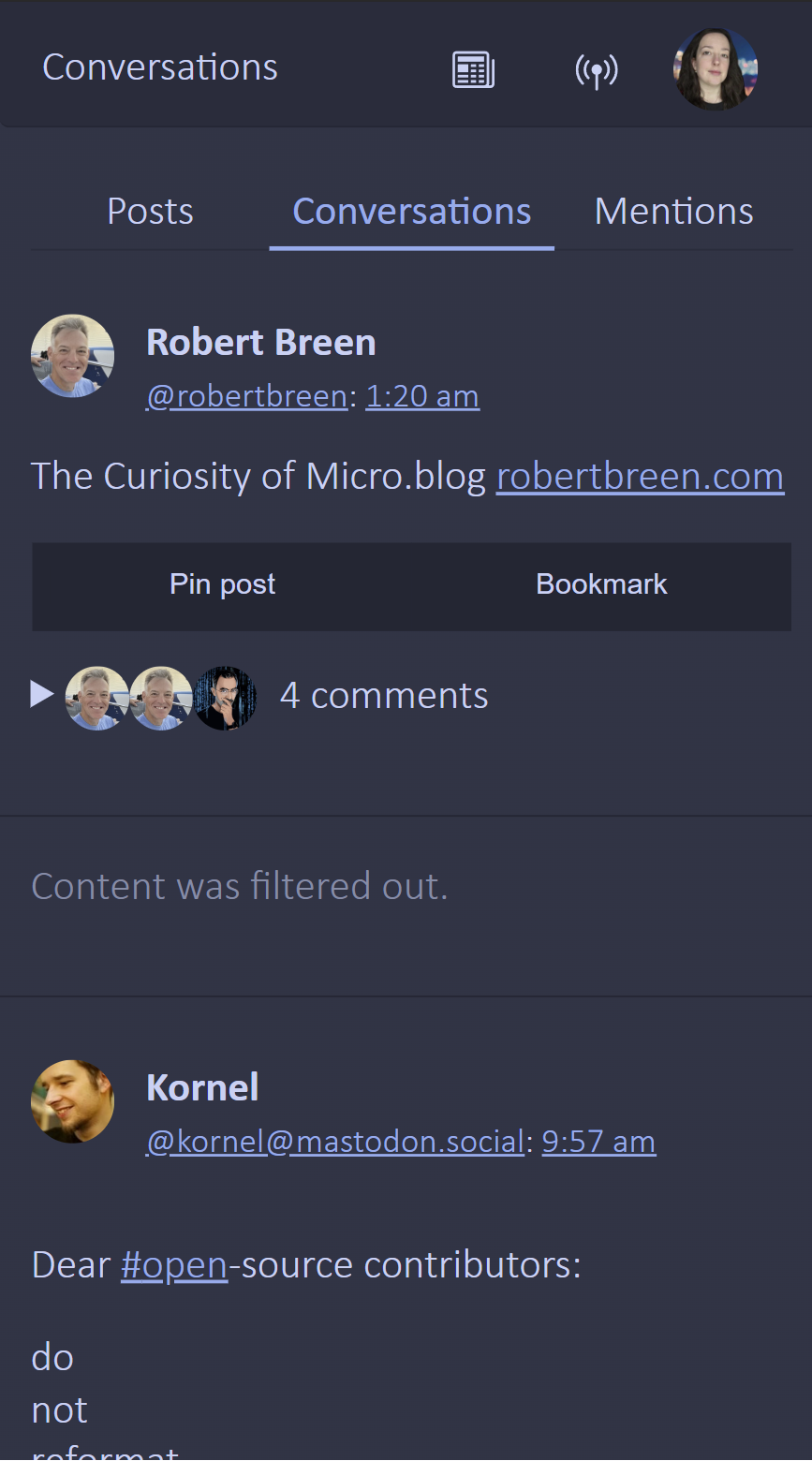
I added in the ability to set content filters. There have been a couple times when a person I follow on Micro.blog posts something that isn’t that great for my mental health. I don’t want to stop following them, I just want that topic hidden. So that’s essentially what this does.
I save a cookie with a comma separated list of terms and then I check both posts and replies for that term. If it appears, I remove the whole thing. The following code snippet returns true if any terms in the contentFilters array are contained within the text of content_html
contentFilters.some(filter => filter.toLowerCase().trim() != '' && content_html.toLowerCase().includes(filter.toLowerCase().trim()));`Right now I do have a placeholder when content is removed but depending on user feedback I might remove this.
Bookmarks
At first I thought I couldn’t add bookmarks using the Micro.blog Bookmarks API. But digging into it a bit closer I realized that the indieweb microformats did have the concept of a bookmark. At first I tried just making posts with the correct classes on the posts, like u-bookmark-of but that didn’t work. The Micropub spec I was using doesn’t mention bookmarks but eventually my searching online brought up the bookmark documentation from indieweb.orgthat specified how to make a bookmark post against a micropub implementation. And it worked! So now Lillihub can add a url as one of your bookmarks in Micro.blog.
I also added in the ability to create a post from one of your bookmarks. Right now it just takes you to the create a post page with the bookmark in a blockquote but this is something I hope to improve upon in a later iteration.
Crossposting (per post)
This was requested from one of my beta testers and seeing as @manton updated Micro.blog with the ability as described in his post Adding per-post cross-posting to Micro.blog I thought I would add it as well. This was a bit of a pain since I don’t use cross-posting and in order to test it I needed to set up both new accounts on different services and set them up on Micro.blog. But I managed it and with a little bit of trial and error I got things working. In general you:
- Make a get request to
https://micro.blog/micropub?q=syndicate-toto get the targets a user has configured. - When posting to the micropub endpoint, add a query parameter of
mp-syndicate-to[]for each target.
Side Project - Blog Redesign
Okay, I dislike the new design I have. Simple and elegant is just not how my blog rolls. I’m already working on something new to put in its place this upcoming week. I also purchased a year subscription at tinylytics since I’m pretty interested in some stats on people who visit the lillihub landing page I’m going to put on my blog.
 Loura
Loura