I came across this blog post as I was working this week. Claire Codes - Dev Diary and it inspired me to try my hand at one. I’ve seen some other people write a weekly note and I think it’s in a similar vein. Just a little more focused on my software development skill set and not life in general. I can’t promise I’ll do these every week. But it is something I’ll aspire to.
Job Related
Our last contractor for this work project had their contract end on the last day of September. Because of the time difference in our working schedules their final pull request didn’t come in until after I signed off for the evening. So first thing Monday was reviewing it, making sure the tests all passed and getting it in the Azure pipeline to go up to our test instance.
This marked the end of any outside help due to a lack of grant funds, the end of the MVP phase, and me taking the project the rest of the way solo.
I spent most of the week going through the MVP with a fine tooth comb and coming up the next list of high priority features and gathering requirements. This dev cycle should take me until the end of March 2024 if my estimates are close.
Side Project - Lillihub
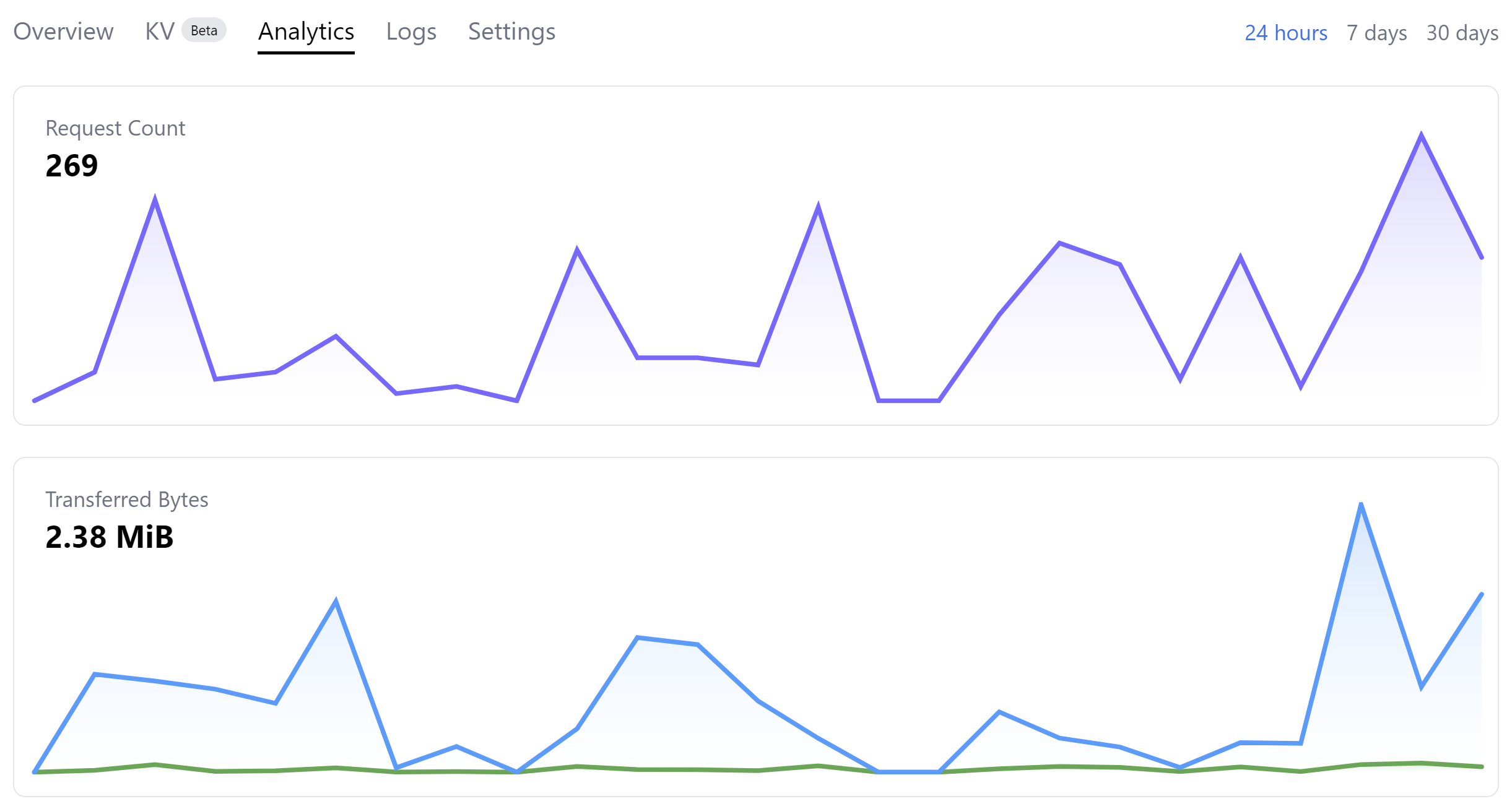
My side project, Lillihub, is going well. I have around 25 beta testers at the moment providing fantastic feedback. And based on the number of requests over the week people are actually using it. I’m hoping this will help me gauge request #’s when I release it outside the beta test.
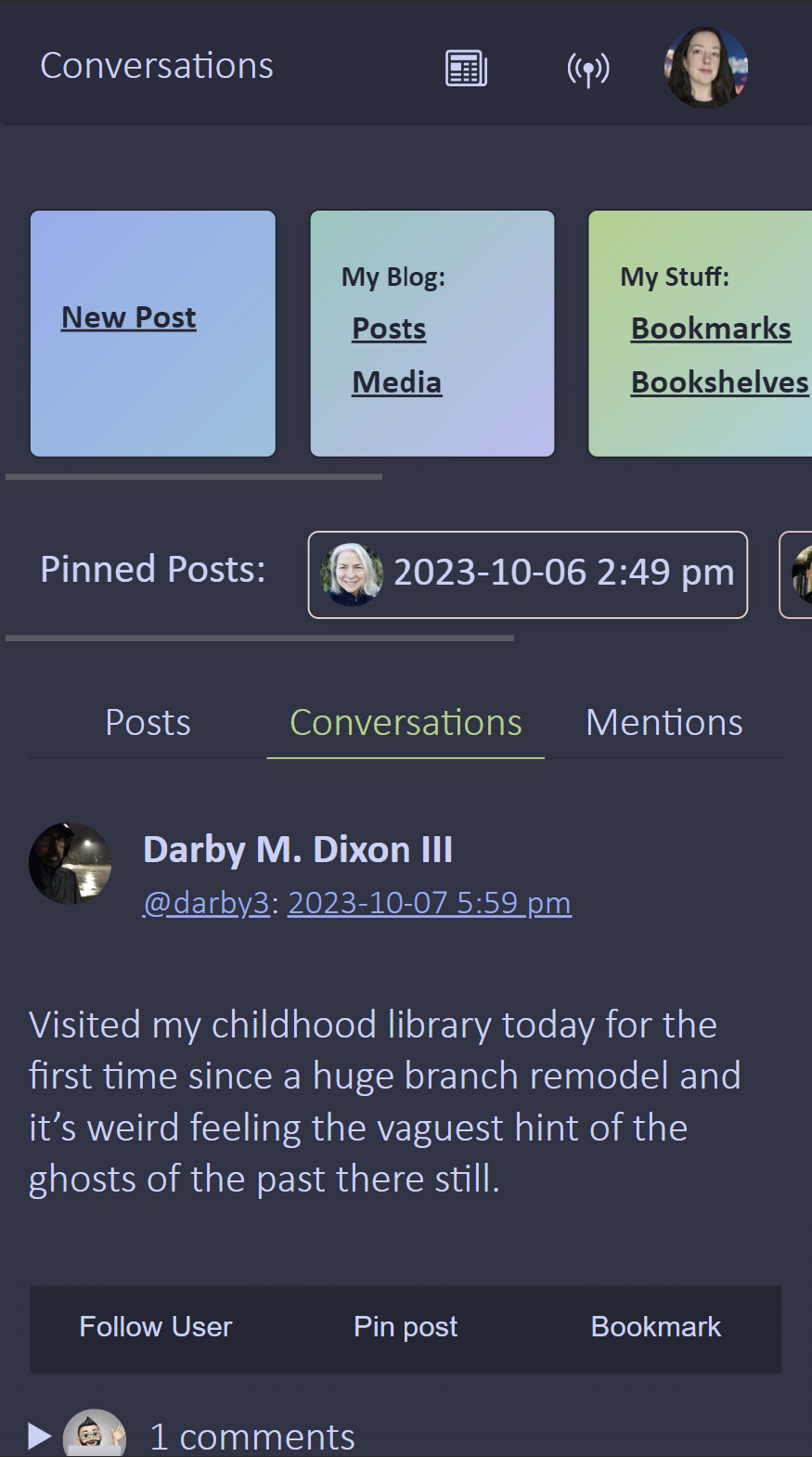
I did one small update this week. There was a bug where if the timeline feed had a video embed, it would stop loading any more posts. This has been resolved. I also got some feedback on the design portion and did a little css update to smooth a few things out for now. It should be a little less boxy and has a subtle gradient as you scroll. Personally, I love how the dark mode is coming along.
Which brings me to…
Side Project - Blog Redesign
I need a place to put some Lillihub documentation and help articles. I go back and forth on getting the project it’s own separate website. For now I think I’ll have it as a subsection of my website since I don’t see this moving beyond a hobby project and that gives me another reason to redesign my blog. I think this is change number four in under a year 😆
It’ll still be a micro.blog hosted blog under the hood. I’m aiming for something pretty simple with one large illustration on the side. I’m having fun learning a bit of Hugo and customizing how bookmarks can be nested.
What I Learned
How to generate a number between 1…n in Hugo
So I bought some lovely hand drawn svg illustrations to go on my website from TwigandMothStudio - Etsy and I wanted a random one on each page of my website. I have a total of 18 illustrations that I named 1.svg, 2.svg, … and so on. Now in Hugo you can use {{index (seq 18 | shuffle) 0}}.
- What this is doing is basically making a sequence, list, of numbers from 1-18 with
seq 18 - Mixing up the list by shuffling the elements with
shuffle - Then grabbing the first element by it’s index of zero
index (seq 18 | shuffle) 0
How to change the fill color on an external SVG
The SVG file’s I purchased have a fill color of black and I wanted them to match the colors I’m using. Which I found out you can do with a css filter! Here is what I’m using for the light theme:
filter: invert(30%) sepia(13%) saturate(983%) hue-rotate(196deg) brightness(94%) contrast(90%);Now figuring out what values are needed for the filter can be a chore. But someone already build a little tool for that. CSS filter generator to convert from black to target hex color It’s fantastic!
How to create a custom single page in Micro.blog theme
I want to split my website into two main areas. One that has my general website and blog related items and one that can be customized as a product page for Lillihub. Luckily a Micro.blog custom theme can let you do just that.
It boils down to creating a layout template page and a content page. The content page creates that page on the website and then you tell it what custom layout you want to use using frontmatter. You’ll need a title and a type. The type needs to match the layout name you want to use. So for instance, I did content/bookmarks.md with a type: bookmarks in the frontmatter.
I also created a file layouts/bookmarks/single.html which held the template. Even though the template is a single you can still access lists of categories and other items Micro.blog makes available in templates.
How to nest bookmarks under tags in Micro.blog
I love the fact that Micro.blog premium let’s you have bookmark tags. So I wanted to update my theme to take better advantage of it and nest the bookmarks under the tag name. The code is a bit long to just paste here, so you can find it in my micro-blog-nested-bookmark-tags (paste.lol). In general this is what’s needed:
- Make an empty collection called
$tags - Iterate through the tags and add them to the collection. Since they are comma separated, you’ll need to split them on the comma first.
- Remove any duplicates from
$tags - Iterate through
$tagsand select bookmarks that have the current$tag. I also chose to ignore the empty tag. - Display the items.
 Loura
Loura